
Design Presets
Curated starting points for colors, padding, and effects — separate from your saved designs.
Design Presets are curated starting points built into Favycons. Each preset can set the full design: motif type, colors, gradients, padding, radius, rotation, stroke, outline, glow, shadow, and typography.
This is not the same as My Designs (named snapshots you save to your account). Presets are built-in; saved designs are yours.
Open the gallery
- Design Presets button in the header
- Command palette (
⌘+K/Ctrl+K) → Design Presets
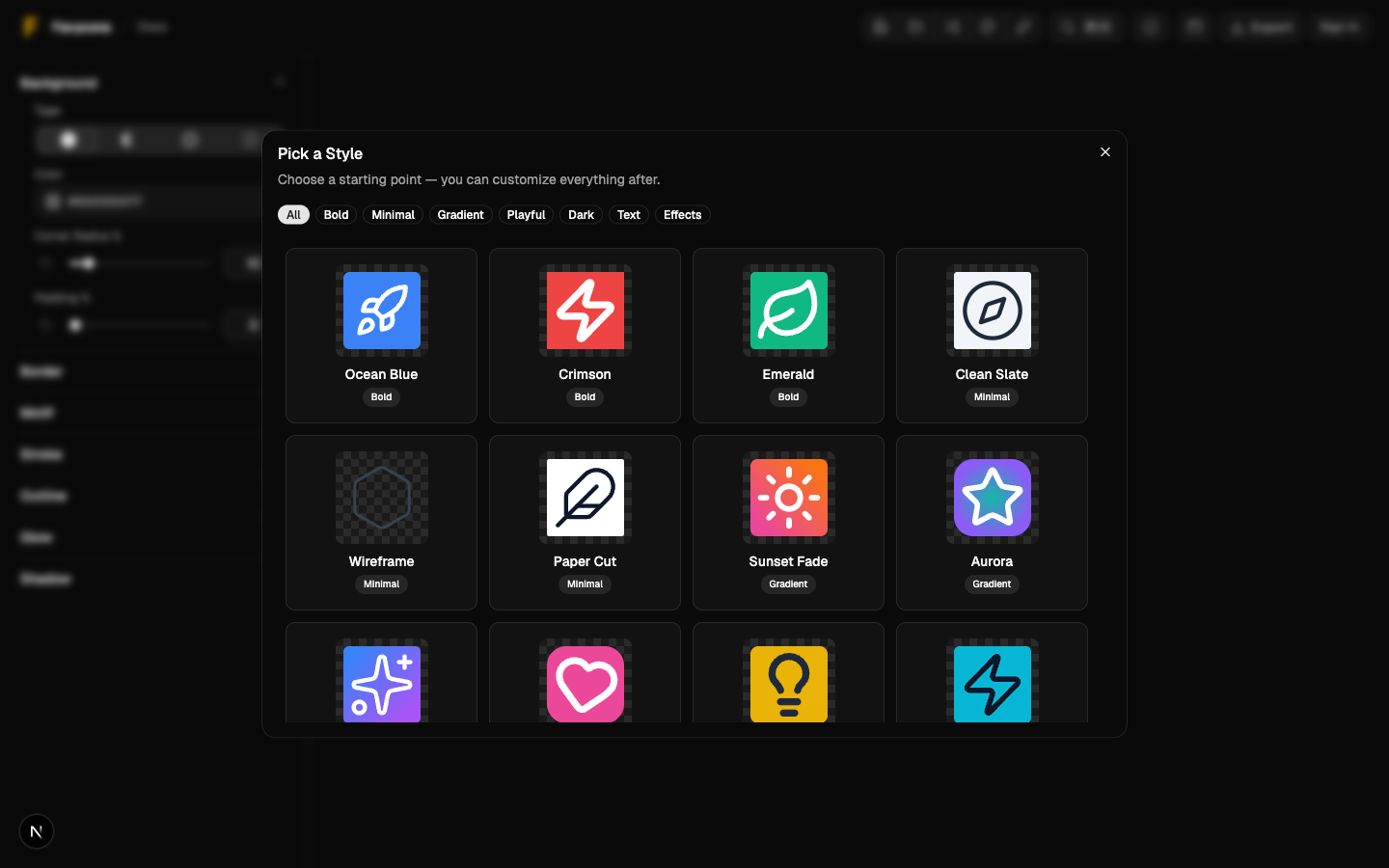
Apply a preset
- Browse the grid and pick a card.
- Click Select.
Applying a preset replaces your current settings with the preset's look. Your motif type may change if the preset targets a different motif kind (icon vs text). Save first if you want to keep the current design — see Saving & Accounts.
When presets help
- You want a polished look without tuning every slider.
- You are exploring color and effect combinations.
- You have a motif in mind and need a complementary style.
When to skip presets
- You already have brand colors locked in — set them directly in the editor.
- You are iterating on small-size readability — presets can add effects that hurt 16px clarity. See the workflow in Editor Guide.
Related
- Editor Guide — motif types and the small-size workflow
- Typography & Fonts — when a preset uses a text motif