Editor Guide
Motif types, controls, and the small-size workflow.
The editor is built around one constraint: the icon has to read at 16–32px. Everything else follows from that.
Motif types
| Type | Use when |
|---|---|
| Icon | You want a Lucide symbol — search by name in the motif picker |
| Text | You want a letter or short wordmark (1–4 characters) with a Google Font |
| Custom | You already have SVG vector artwork to paste or upload |
For text motifs, fonts are outlined on export so the icon does not depend on the target environment having your font. See Typography & Fonts.
Custom SVG
Sign in, then paste or upload SVG markup. Choose whether Favycons should override SVG colors with your motif color settings, or preserve the file's original fills.
When preserve is on, motif color and gradient controls are hidden — they would have no effect.
Controls
- Background — solid, gradient, or none (transparent)
- Padding & scale — breathing room and size of the motif
- Offset — fine-tune horizontal and vertical placement
- Foreground / motif color — solid or gradient fill on the motif
- Border radius — round the icon canvas
- Effects — stroke, outline, glow, shadow (optional; each can be toggled off)
Controls that have no effect under the current settings are hidden, not disabled.
Small-size workflow
- Solid background, single-color motif. Skip effects.
- Increase padding until the motif has room.
- Check the 16px and 32px previews. Open Preview for more size mockups — see Previews & Mockups.
- Add effects only if the base already works small.
- Export and verify on the real surface.
If small sizes look blurry, the fix is almost always more contrast and more padding — not more effects. Thin strokes and fine serifs disappear at 16px. Gradients tend to muddy at favicon scale.
Design presets vs saved designs
Design Presets are built-in starting points for colors and effects. My Designs are named snapshots you save to your account. Applying a preset replaces current settings — save first if you need both. See Design Presets and Saving & Accounts.
Keyboard shortcuts
Command palette
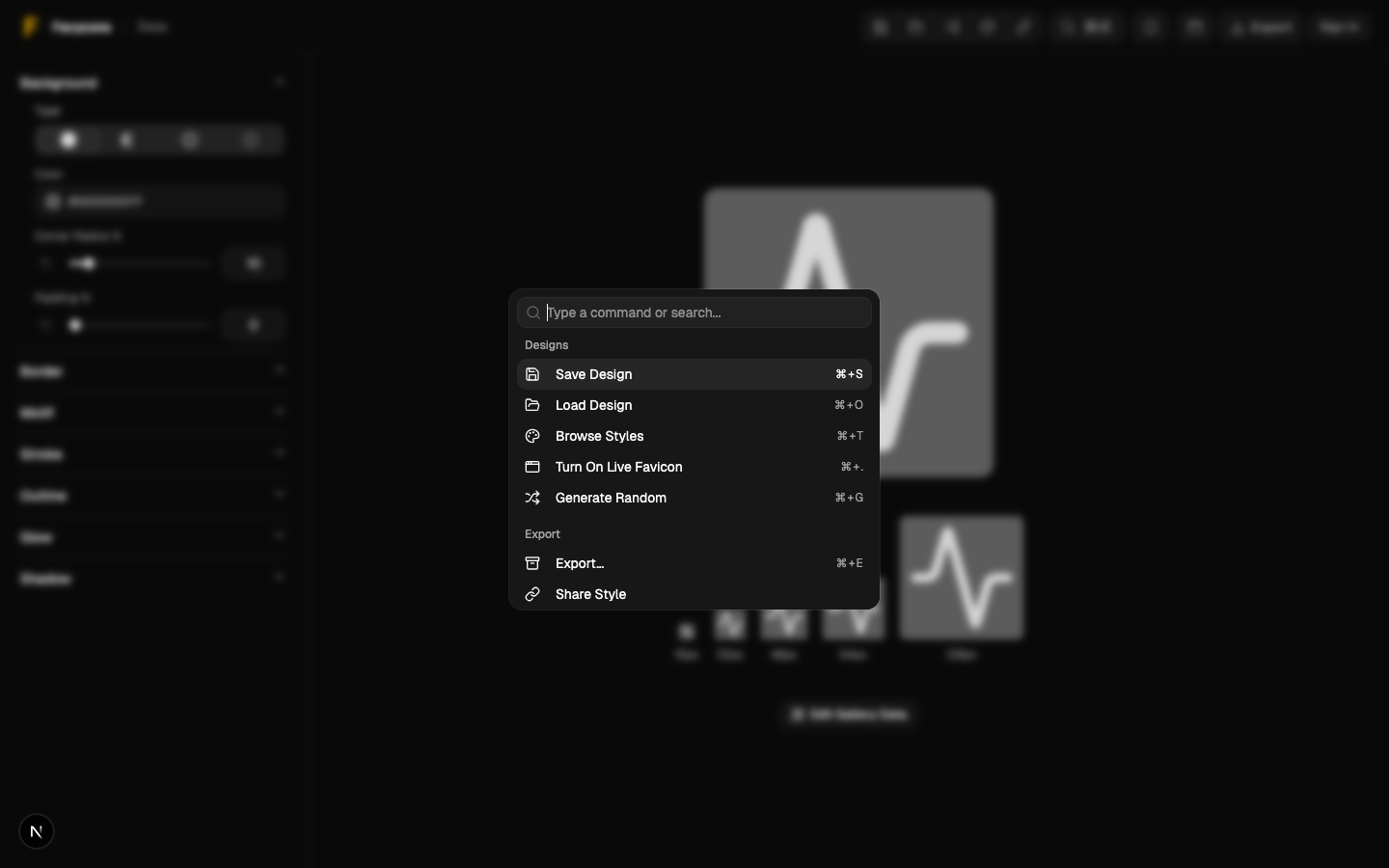
Search common actions:
- macOS:
⌘+K - Windows / Linux:
Ctrl+K
Built-in shortcuts
These work even when the palette is closed:
| Action | macOS | Windows / Linux |
|---|---|---|
| Save design | ⌘+Option+S | Ctrl+Alt+S |
| Open My Designs | ⌘+Option+O | Ctrl+Alt+O |
| Export | ⌘+Option+E | Ctrl+Alt+E |
Saving designs and opening My Designs require signing in. If you are signed out, you will be prompted.
Editor overview